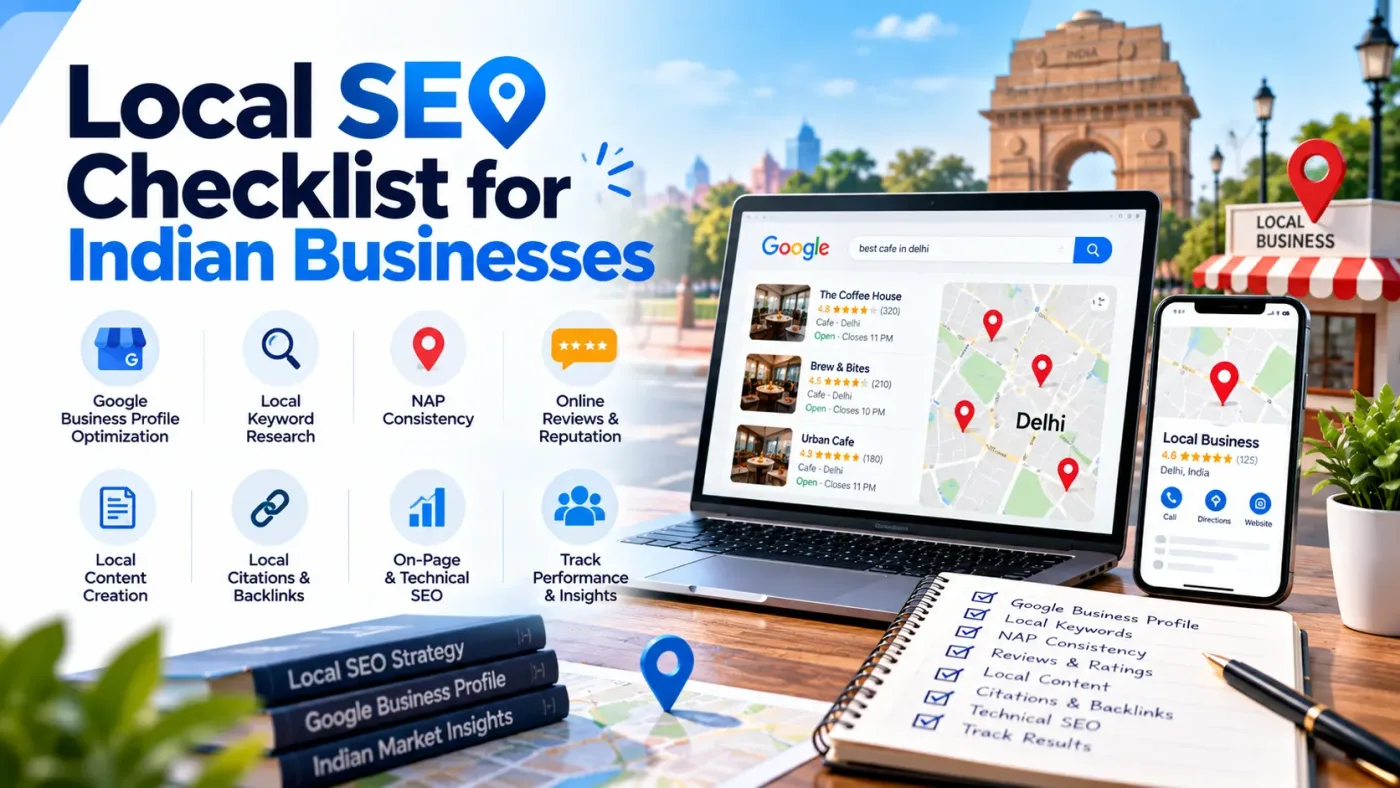
Local SEO is not a one-time task. Business details change, customers leave new reviews and website issues can appear without warning. Keep your profile and contact details accurate, make your website genuinely useful, ask for honest feedback and review performance regularly. Fix the problems that affect customers first, and measure whether the work is bringing relevant calls and enquiries rather than expecting one change to guarantee rankings.
What Should You Check First?
A local SEO checklist helps you spot details that may stop nearby customers from finding or contacting your business. Start with your Google Business Profile, then check your name, address and phone number across listings. Review your website, customer feedback and mobile experience too. For businesses serving Delhi, our SEO services in Delhi page explains how local search fits into a wider SEO plan. Track calls and enquiries, not rankings alone.
Why the Basics Matter
Imagine a customer searching for a dentist in Jaipur, a repair service in Noida or a boutique in Pune. They need to know whether the business is nearby, open and easy to contact. If the hours are wrong, the phone number differs across listings or the website is difficult to use on a phone, they may move on to another option.
Business details change. Regular checks catch outdated hours, phone numbers and listings before they confuse customers or cost enquiries.
What a Useful Local SEO Review Covers
A useful review looks beyond one Google listing. Check your Business Profile, key directory listings, website, reviews and technical performance. For multiple branches, confirm that each location page represents a real place and gives accurate details. Creating pages for cities you do not serve is not a useful shortcut. If you need support across multiple SEO areas, our SEO agency services in India page explains the broader service.
1. Review Your Google Business Profile
Your Business Profile may be the first place a customer sees your hours, phone number, photos or directions. Review it from the customer’s point of view:
Confirm that the profile is claimed and verified, and that access belongs to the business or an authorised team member.
Use the real-world business name. Do not add city names, extra services or promotional phrases just to include keywords.
Choose the most accurate primary category, then add other categories only when they genuinely describe the business.
Check the address or service area, phone number, website, opening hours and holiday hours.
Keep services and appointment details current, and use genuine photos that help customers recognise the business.
Check for outdated details or duplicate profiles and correct them through Google’s process.
Google says that complete, accurate information can help a Business Profile appear for relevant searches. Local results are mainly influenced by relevance, distance and prominence; there is no way to pay for a better local ranking. See Google’s official guidance on local ranking before making changes.
2. Keep Business Details Consistent Across Listings
NAP stands for Name, Address and Phone number. Keep these details accurate on your website, Business Profile and important directories. Small formatting differences are not always serious, but old phone numbers, previous addresses and duplicate listings can confuse customers.
Write down the official business name, full address, main phone number and website URL.
Compare them with the website’s contact page, footer and location pages.
Review relevant Indian directories such as Justdial, Sulekha or IndiaMART when they fit your type of business.
Correct inaccurate listings and deal with duplicates where you have authority to do so.
Prioritise reputable, relevant platforms instead of submitting your details to hundreds of low-quality directories.
If your company has several branches, keep a separate record for each one. Do not use one branch’s address or phone number on every page unless those details really apply to all locations.
3. Make Your Website Useful for Local Visitors
Your website should make three things clear: what you offer, where you offer it and how to contact you. A local landing page should provide real information about the service or branch, not just replace a city name in a generic template.
Write a clear title and main heading for each important page. Mention a location when it helps explain the service.
Make the business’s contact details easy to find and ensure they match the information on your listings.
Add practical details such as service coverage, appointment options, parking or access information when relevant.
Use clear calls to action, for example Call, Get Directions, Book an Appointment or Request a Quote.
Link related service pages and genuine location pages with descriptive anchor text.
For multiple branches, give each real location its own helpful page with accurate hours, services and contact details.
Avoid publishing many near-identical city pages that offer no useful difference to the reader. A page should answer a real customer question and help them decide what to do next.
4. Ask for Honest Reviews and Respond Well
Reviews help people understand what it may be like to deal with your business. Invite genuine customers to share honest feedback, but do not buy reviews, reward positive ratings or pressure anyone to change an opinion.
Make it straightforward for real customers to leave feedback using Google’s permitted review-sharing options.
Respond to positive and negative reviews in a professional, human tone.
If a complaint needs personal details, move the conversation to a private channel rather than sharing information publicly.
Look for repeated themes in reviews and use them to improve the service—not only to increase the star rating.
5. Check Mobile Usability and Technical Health
A profile can be accurate and still lose enquiries if the website does not work well on a phone. Open the site on a mobile device and try to call, fill in a form or find directions as if you were a customer.
Important pages load over HTTPS without browser security warnings.
Text and buttons fit common mobile screens, and visitors do not need to scroll sideways.
Phone links open the dialler, forms submit successfully and direction links open the correct place.
Key service and location pages load successfully and are not accidentally blocked from indexing.
Canonical tags, sitemap entries and internal links point to the preferred working URLs.
Where appropriate, add accurate LocalBusiness structured data and test it before publishing.
Structured data helps search engines interpret details such as a business name, address or opening hours, but it does not guarantee a special display in search results. Use Google’s LocalBusiness structured data documentation to check the supported properties and validation steps. For broader crawling and indexing issues, CodeWebApp also offers a technical SEO service.
6. Choose Local Keywords That Match Your Business
Start with the services you actually provide and the areas you genuinely cover. Your keyword list might include a core service phrase, a relevant city or neighbourhood, and questions people ask before getting in touch. Search volume is useful for prioritising ideas, but a smaller, relevant search may be more valuable than a broad term that attracts the wrong audience.
Review Google Search Console to see the queries and pages already bringing visitors.
Use service and location terms naturally in titles, headings and page copy where they make sense.
Answer useful questions about coverage, availability, appointments or the process of getting a quote.
Avoid repeating city names unnaturally or claiming to serve locations where you have no real presence.
Update old details when services, hours or business arrangements change.
7. Keep Up with Changes in Local Search
Search interfaces and reporting features change, so avoid relying on one trick or a competitor ranking screenshot. Keep business details current, review the reports in your Business Profile and Search Console, and occasionally test the website on a phone.
Recheck the basics after changing a branch, phone number, service area or website. Accurate details and genuine customer feedback are more useful than keyword-heavy profile names.
8. Common Problems to Fix First
Prioritise problems that are likely to confuse customers or block enquiries:
Old addresses, phone numbers or opening hours that are still published.
Duplicate profiles or categories that do not represent the business.
Fake locations or business names modified with extra keywords.
Thin location pages that offer the same content with only a city name changed.
Purchased reviews or defensive replies to customer complaints.
Broken forms, slow pages or links that send people to the wrong place.
Reporting rankings without checking whether useful calls or enquiries are increasing.
9. How Often Should You Review Local SEO?
For many small businesses, a quick monthly check of hours, contact details, reviews and important links is enough. Each quarter, review Search Console queries, website enquiries, Business Profile interactions and key landing pages.
Run an extra check after a move, phone-number change, branch opening or closure, service-area change, or sudden drop in enquiries. A single shop may need less frequent work than a multi-location business.
10. A Practical Place to Start
Fix anything that could mislead a customer or block contact first: a wrong address, disconnected number, incorrect hours or broken form. Then check the Business Profile and the website’s main pages. Work through key listings, reviews and technical issues, keeping a brief record of what you changed.
If you decide to bring in outside help, this guide to choosing an SEO company in Delhi can help you compare providers and ask more useful questions.
Conclusion
Local SEO needs regular maintenance because business details, reviews and websites change. Keep your profile accurate, make the website easy to use, invite honest feedback and review performance. Fix customer-facing issues first and measure relevant calls and enquiries. No single change guarantees rankings, but consistent work helps people find and contact your business.
Need help prioritising the issues you found? Contact CodeWebApp to discuss the next steps.