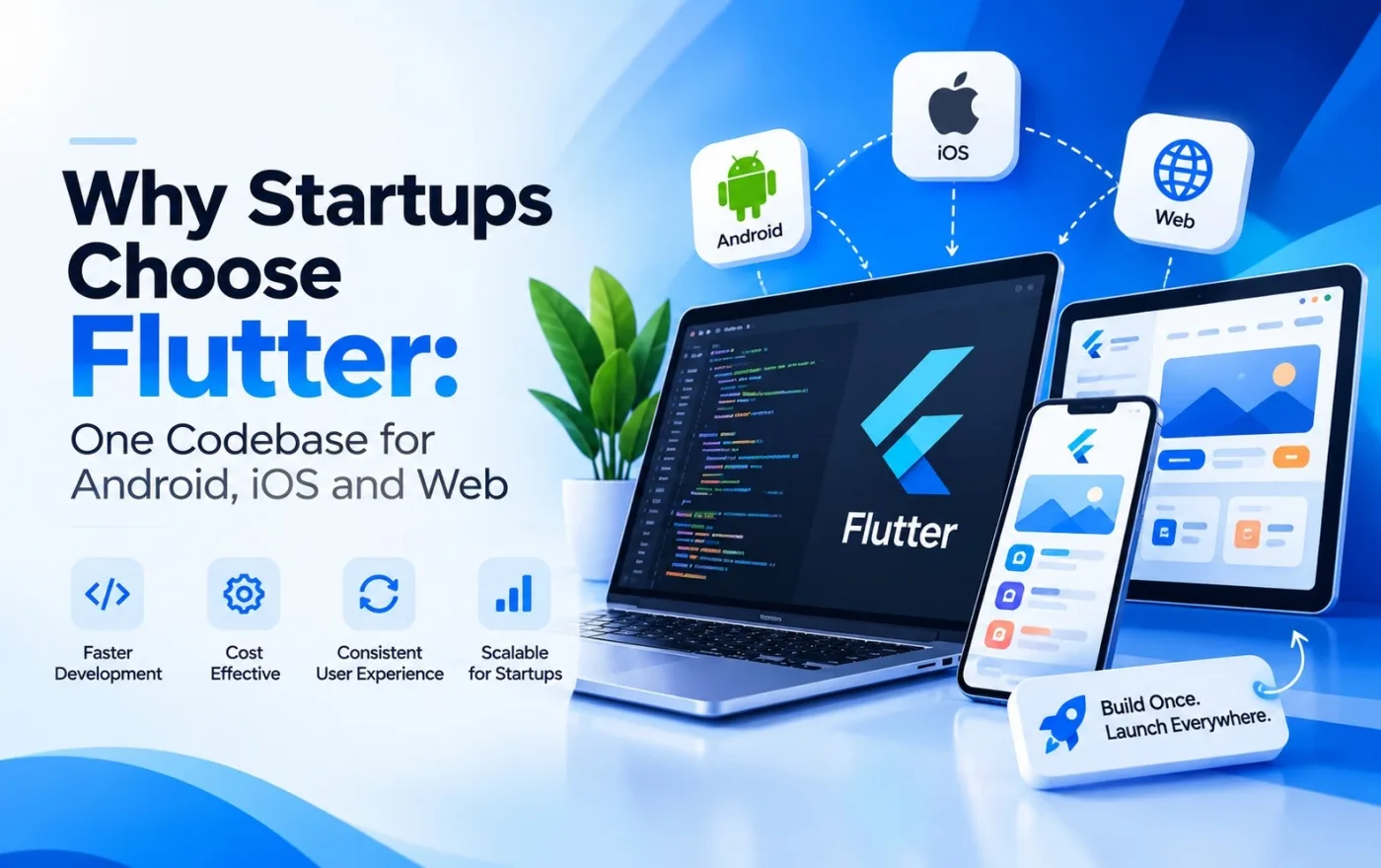
Building separate apps for Android, iOS and web can drain a startup's budget. This guide explains how Flutter lets one team ship all three from a single codebase, so you launch faster, spend less and scale with confidence.
Why Startups Choose Flutter: One Codebase for Android, iOS and Web
Every startup founder faces the same hard trade-off. You need to reach users on Android, iOS and the web, but you have limited money, limited time and a small team. Building three separate products would drain your budget before you find product-market fit.
This is why so many early-stage companies now choose Flutter, Google's open-source UI toolkit. With Flutter, one team writes one codebase and ships it to Android, iOS, web and even desktop. The result is a faster launch, a lower bill and a product that looks and feels the same everywhere.
In this guide, we explain in plain business language why startups choose Flutter, what benefits you can expect, where Flutter may not be the right fit, and how to get started. Whether you are a first-time founder planning an MVP or a growing company rethinking your tech stack, this article will help you decide.
What Is Flutter, in Simple Words?
Flutter is a framework created by Google for building user interfaces. Developers write the app once in a language called Dart, and Flutter turns that single codebase into apps for multiple platforms.
Unlike some older cross-platform tools that rely on the phone's built-in components, Flutter draws every pixel of the interface itself using its own rendering engine. This gives designers and developers full control over how the app looks and behaves, and it keeps the experience consistent across devices.
For a non-technical founder, the takeaway is simple: you build once, and you launch everywhere.
Why Your Tech Stack Decision Matters So Much for a Startup
Large companies can afford to fix a wrong technology choice. Startups usually cannot. The framework you pick affects:
- How much you spend before your first release
- How quickly you reach real users and start collecting feedback
- How easily you can change direction (pivot) when the market teaches you something new
- How hard it is to hire and retain developers
- How well your product can scale once it starts to grow
A poor choice can mean rebuilding the whole product within a year. A smart choice lets you spend your money on what matters most: acquiring customers and improving the product.
Flutter helps on almost every one of these points. Here are the main reasons startups pick it.
1. One Codebase for Android, iOS and Web
This is the headline benefit, and it deserves a close look.
In traditional native development, you build an Android app in Kotlin or Java and an iOS app in Swift. If you also want a website, that is a third project, often in a different language again. Each project needs its own developers, its own testing and its own bug fixes.
With Flutter, most of that work is shared. The same code that powers your Android app also powers your iOS app and your web version. Business logic, screens, navigation and animations are written once.
What this means for a startup
- One team instead of three. You do not need separate Android, iOS and web specialists to get started.
- Fewer bugs to chase. A fix in one place applies everywhere.
- Feature parity. Every user gets the same features at the same time, whatever device they use.
- Simpler planning. Your roadmap is one list, not three parallel lists.
A small team of Flutter developers can often deliver what would otherwise need a much larger group. For a company watching every rupee, that is a serious advantage.
2. Lower Development and Maintenance Costs
Money is the number one reason startups look at cross-platform development. When a single codebase replaces two or three, the savings show up in several places:
- Fewer developers are needed to build the product.
- Less design and QA duplication, since screens are built and tested once.
- Cheaper updates, because a new feature is coded once and released everywhere.
- Lower maintenance costs over the life of the product.
The exact savings depend on your app's complexity, the features you need and the team you hire, so treat any promise of a fixed percentage with caution. What is reliably true is that sharing one codebase removes a large amount of duplicated effort, and duplicated effort is what makes native development expensive.
For an early-stage company, the money saved can be redirected to marketing, customer support or additional features. That is often the difference between running out of runway and reaching the next funding round.
3. Faster Time to Market and Easier MVP Development
Speed matters as much as cost. The sooner your product is in front of real users, the sooner you learn what they actually want.
Flutter is well suited to building a Minimum Viable Product (MVP). Because one team builds for all platforms at once, the path from idea to first release is shorter. You can launch on Android and iOS together, and you can put a web version in front of investors or early customers without starting a new project.
How this helps a typical startup journey
1.Idea validation. Build a lean version with only the core features.
2.Early feedback. Release it to a small group and watch how they use it.
3.Quick iteration. Change screens and flows based on what you learn.
4.Scale up. Add features gradually as revenue and users grow.
A faster launch also gives you a stronger story when you talk to investors. A working product on both app stores is far more convincing than a slide deck.
4. Hot Reload: Faster Development, Faster Feedback
One of Flutter's most loved features is hot reload. When a developer changes the code, the running app updates in about a second, without a full restart and without losing its current state.
This may sound like a small technical detail, but the business effect is real:
- Designers and developers can experiment live, adjusting colors, spacing and layouts on the spot.
- Bugs are found and fixed faster.
- Stakeholder reviews become easier. You can sit with your developer, ask for a change and see it immediately.
Over weeks of development, these saved minutes add up to saved days, which means a faster launch and a lower bill.
5. Beautiful, Consistent UI on Every Device
First impressions decide whether users stay or leave. A clunky or inconsistent interface makes a startup look unprofessional, however good the idea.
Flutter comes with a rich library of customizable widgets, the building blocks of every screen. It supports both Material Design (Google's style) and Cupertino widgets (which follow Apple's style), so you can match each platform's look or create a completely custom brand experience.
Because Flutter controls its own rendering, the app looks the same on a budget Android phone, a new iPhone and a desktop browser. There are no strange differences that appear only on one device.
This is especially valuable for
- Brand-focused products that need a unique look
- Consumer apps where design quality affects retention
- Apps with custom animations and interactive elements
Smooth animations and polished transitions are easy to build in Flutter, which helps a small startup compete with much larger brands on user experience.
6. Near-Native Performance
A common worry about cross-platform apps is that they feel slow. Flutter addresses this in two ways.
First, Dart code is compiled ahead of time into native machine code for mobile release builds, rather than being interpreted at runtime. Second, Flutter uses its own rendering engine, Impeller, which is designed to deliver smooth graphics and reduce visual stutter.
For most business applications, such as marketplaces, booking apps, fintech dashboards, delivery apps, learning platforms and social products, users cannot tell the difference between a well-built Flutter app and a native one. Extremely graphics-heavy or hardware-intensive apps may need extra attention, but the majority of startup ideas run very well.
7. Web and Desktop Support Keep Growing
Flutter began as a mobile toolkit, but it now supports web, Windows, macOS and Linux as well. That gives startups room to grow without switching technology.
How that plays out in practice
- Launch on mobile first, then add a web app for customers who prefer a browser.
- Build an internal admin panel in Flutter Web, so your team manages the product with the same skills and shared code.
- Expand to desktop later if your users need it, such as for a point-of-sale or productivity tool.
One important note: Flutter Web is excellent for app-like experiences such as dashboards, portals and tools that sit behind a login. For content-heavy public websites that depend on search engine traffic, a traditional web approach is usually a better choice. A good development partner will tell you which fits each part of your product.
8. Ready for AI-Powered Features
Users increasingly expect apps to be smart: personalized recommendations, chat assistants, predictive search and automated support. Startups that add these features early can stand out quickly.
Flutter works well with AI services and tools such as ML Kit and modern generative AI APIs. Because your code is shared, an AI feature you build once becomes available to Android, iOS and web users at the same time. Current industry discussions of Flutter's direction also point to more AI-native development, including interfaces that adapt to user intent.
If AI is part of your product vision, Flutter gives you a practical way to deliver it across every platform without tripling the work.
9. Easy Integration with Backends and Cloud Services
An app is more than a front end. It needs authentication, databases, payments, notifications and analytics. Flutter connects smoothly with the services startups already like to use:
- Firebase for authentication, real-time databases, cloud storage and push notifications
- Custom REST and GraphQL APIs built in Node.js, Python, Laravel, .NET or Java
- Payment gateways such as Razorpay, Stripe and PayPal
- Cloud platforms such as Google Cloud, AWS and Azure
- Analytics and crash reporting tools
The large package ecosystem on pub.dev means many common features already have tested, ready-made solutions. That saves development time and reduces risk.
10. Strong Google Backing and an Active Community
Betting your product on a technology that might disappear is a real fear. Flutter is developed and supported by Google, has a large and active global community, and is used by companies of all sizes. The ecosystem includes thousands of packages, regular updates, detailed documentation, tutorials and open forums.
Practical benefits for a startup
- Easier hiring. There is a growing pool of Flutter developers, including in India.
- Faster problem solving. Most common issues have already been solved and documented.
- Long-term confidence. A strong community lowers the risk of the framework becoming abandoned.
Flutter vs React Native vs Native: A Quick Comparison
Here is a simplified view to help you compare the main options.
Factor | Flutter | React Native | Native (Kotlin + Swift) |
Codebase | One for mobile, web and desktop | One for mobile, some web sharing | Separate for each platform |
Language | Dart | JavaScript / TypeScript | Kotlin, Swift |
UI consistency | Very high (own rendering engine) | Good (uses native components) | Perfect per platform, different across platforms |
Development cost | Lower | Lower | Highest |
Time to market | Fast | Fast | Slowest |
Performance | Near-native | Good | Best possible |
Best for | MVPs, design-focused and multi-platform products | Teams with strong JavaScript skills | Hardware-heavy or platform-specific apps |
There is no universal winner. The right choice depends on your product, your team and your goals. For most startups that want to launch on several platforms quickly with a polished interface, Flutter is a very strong candidate.
When Flutter May Not Be the Best Choice
An honest guide should also cover the limits. Consider other options if:
- Your app depends heavily on very new or highly specialized platform features that need deep native integration, such as advanced AR or unusual hardware access. Flutter can reach native code, but it adds extra work.
- Your public website must rank on Google. As mentioned, content and SEO-driven sites are better built with traditional web technologies.
- App size is a critical constraint. Flutter apps carry their own rendering engine, so the base size is slightly larger than a minimal native app.
- Your existing team is deeply skilled in another stack and has no time to learn Dart. Retraining has a cost.
Knowing these limits early prevents surprises later.
Startup Ideas That Work Especially Well with Flutter
Flutter suits a wide range of business models. Popular examples include:
- Fintech and payment apps
- E-commerce and marketplace platforms
- Food delivery and on-demand services
- Healthcare and telemedicine apps
- E-learning and education platforms
- Fitness and wellness trackers
- Travel and booking apps
- Social and community platforms
- SaaS dashboards with mobile companions
- AI-powered productivity tools
In all of these, a shared codebase, quick iteration and a polished interface are worth more than squeezing out the last bit of hardware performance.
Common Mistakes Startups Make When Building with Flutter
Flutter removes a lot of complexity, but it does not remove the need for good planning. These are the mistakes we see most often, and how to avoid them.
Trying to build every feature at once
The biggest risk for any startup is overbuilding. A long feature list delays the launch, raises the cost and often includes things users never wanted. Choose the smallest set of features that proves your idea, launch it, and let real user behavior guide what comes next.
Skipping architecture and clean code
Because Flutter makes it easy to build quickly, some teams rush and mix design, logic and data handling in the same files. This works for a demo but becomes painful when the app grows. Ask your development partner how they structure the code, manage state and organize folders. A clean foundation keeps future features cheap to add.
Ignoring performance testing
An app that runs smoothly on a new phone may struggle on an older, low-cost device, and many of your users will own exactly that kind of device. Test on a range of real phones and use Flutter DevTools to find slow screens before you launch, not after the first bad reviews.
Treating the web version as an afterthought
A mobile layout stretched onto a large browser window looks unfinished. If you plan to offer a web version, design responsive layouts that adapt to phones, tablets and desktops from the start.
Forgetting about maintenance
Launch day is the beginning, not the end. Operating systems, app store rules and packages change every year. Budget for regular updates, security fixes and monitoring so your app stays fast, safe and compatible.
Choosing a partner on price alone
The cheapest quote often hides missing features, weak testing or no support after launch. Compare partners on experience, communication, process and the quality of their live apps, not only the number at the bottom of the proposal.
How to Get Started with Flutter for Your Startup
If you are convinced that Flutter fits, here is a simple roadmap:
1.Define your core idea. Write down the one problem you solve and the three to five features that solve it.
2.Prioritize for an MVP. Separate must-have features from nice-to-have ones. Launch with the must-haves.
3.Plan your design. Create wireframes and a simple design system so the interface stays consistent.
4.Choose the right development partner. Look for a team with real Flutter experience, published apps, clear communication and post-launch support.
5.Build in short cycles. Ask for regular demos every one to two weeks so you can give feedback early.
6.Test on real devices. Check performance on different phones, screen sizes and network conditions.
7.Launch, measure and improve. Release, gather analytics and user feedback, then plan the next version.
What to look for in a Flutter development partner
- A portfolio of live apps you can download and test
- Experience with backend integration, payments and app store publishing
- Transparent pricing and a clear scope of work
- A defined process for testing, security and maintenance
- Willingness to advise you honestly, even when that means saying Flutter is not the right tool for a particular feature
Final Thoughts
For startups, success comes down to using limited resources wisely. Flutter helps by letting one team build a high-quality product for Android, iOS and web from a single codebase. That means lower costs, faster launches, a consistent user experience and an easier path to adding new features as you grow.
It is not the answer to every problem, but for most early-stage products it removes a great deal of complexity at exactly the stage when simplicity matters most.
If you are planning an app and want to know whether Flutter fits your idea, talk to an experienced team. A short consultation can save you months of effort and a lot of money.
Ready to build your startup app with Flutter? Get in touch with our team for a free consultation and a clear roadmap from idea to launch.